User Guide
SmartSensors &
SmartSensors &
SmartGrips
Install Sensors/Grips Onto Clubs
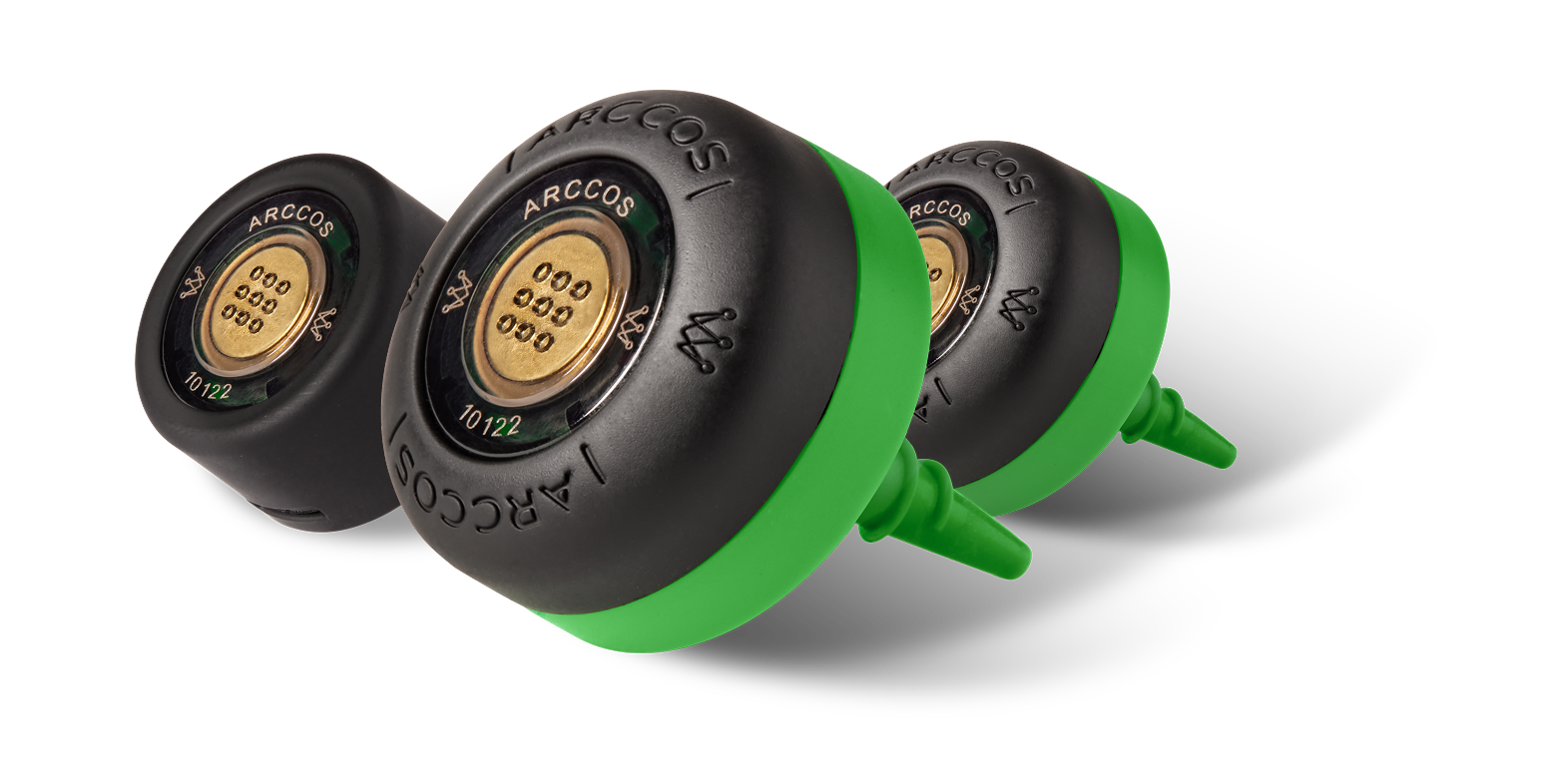
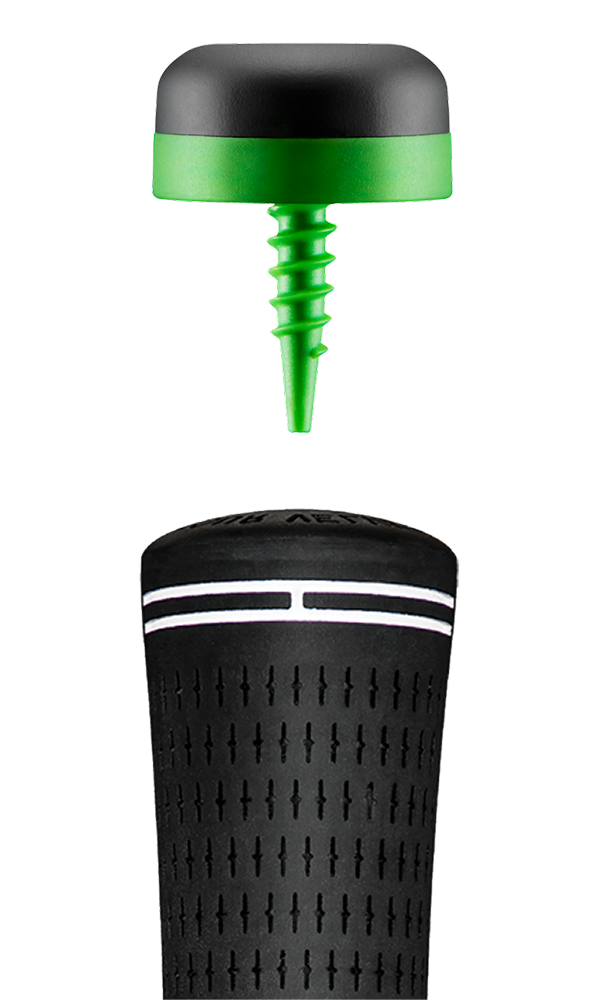
- Smart Sensors: Screw your sensors into the hole at the top of each club that does not already have a sensor embedded in the grip. Twist until they fit the club tightly, then put the clubs back in the bag.
- Smart Grips: Install the grips onto your clubs as you would any other grips.
- The black sensor is for the putter. The rest can attach to any club.
Select & Pair Your Clubs
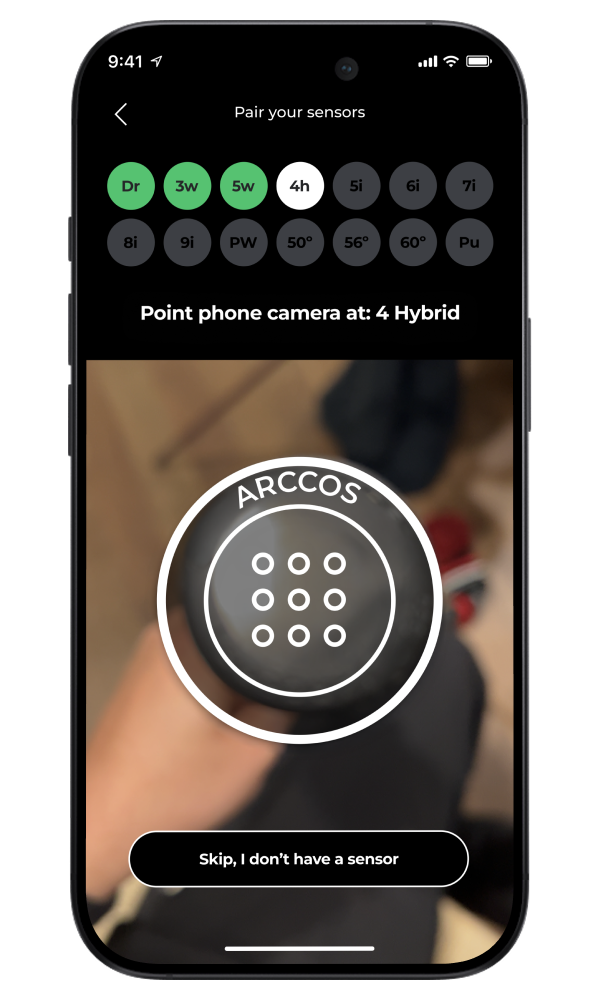
- Select all the clubs with sensors.
- Once you have chosen all of your clubs, tap “Start Pairing.”
- The Arccos Caddie app will prompt you to pair each club individually.
- Keep all clubs except the one you are pairing in your bag to eliminate errors.
- Take out the club to be paired.
- Remove and discard the sticker from the sensor.
- Place the sensor in front of your phone camera and the club will automatically pair.
- Once you pair a club, return it to your bag and continue until you have paired all clubs.
Starting a Round
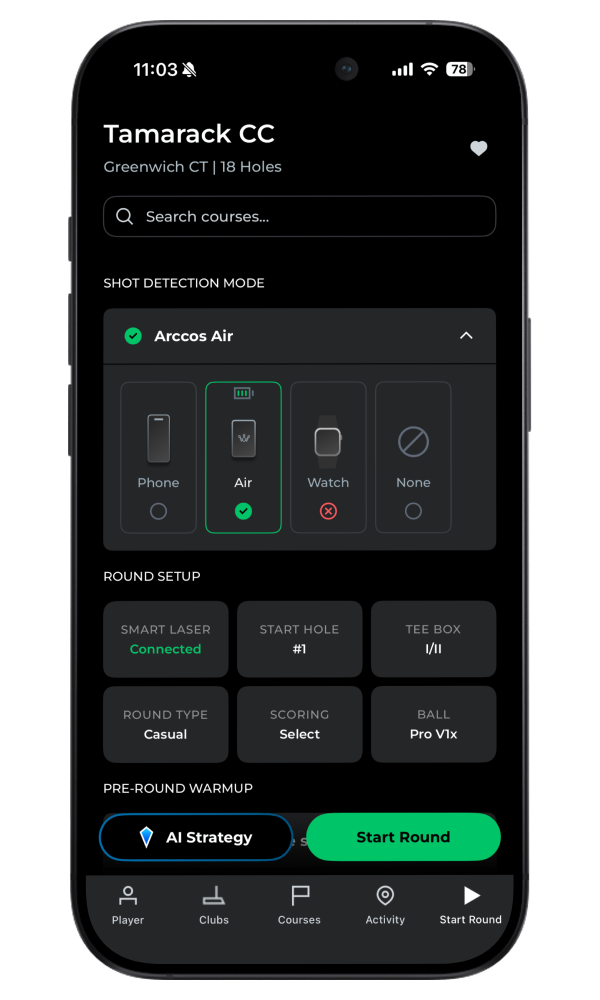
- On the ‘Start Round’ screen, select your course, and tap “Start Round.”
- Select your shot tracking method, then wait for Arccos to optimize GPS accuracy.
- Arccos Air/Phone: For the best experience, place your Arccos Air/Phone in the front lead pocket.
- Smart Watches: Arccos supports shot tracking on Apple Watch series 3 and newer, and certain Android Wear and Samsung wearables.
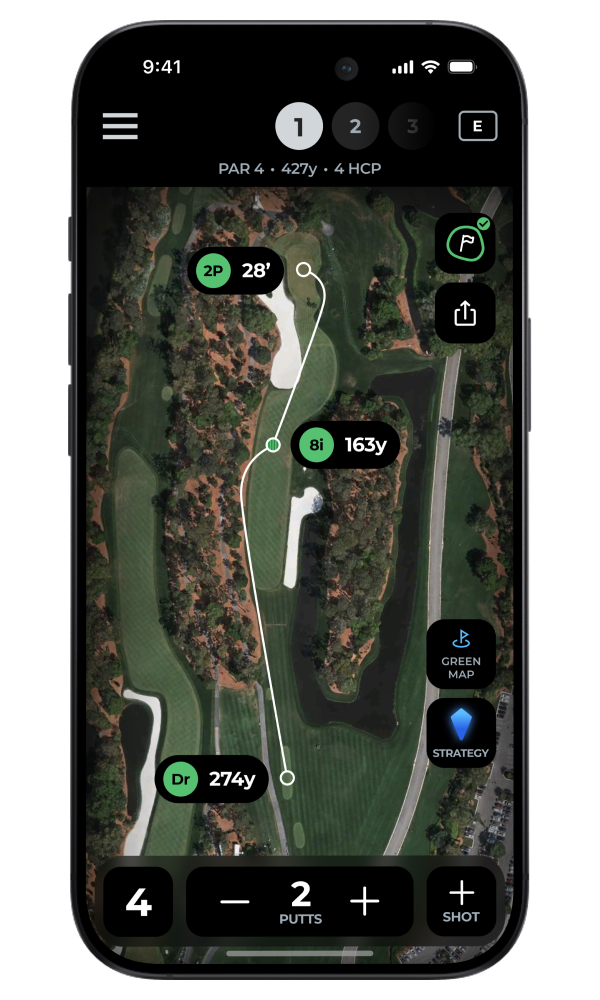
During a Round
- Keep clubs upside down: Bumping clubs together may cause a shot to be inaccurately recorded. Carry them upside down (grip to ground) or in separate hands.
- Don’t drop clubs: Dropping a club or hitting it against a hard surface may inaccurately trigger a shot.
- Mulligans: Any shot or club impact within a 5-yard radius appears as one shot in the app. Does not apply to the putter.
- Putting: Address each putt before taking it — quickly walking up and tapping in may result in the putt not being detected. Avoid excessive handling of the club while not making a stroke.
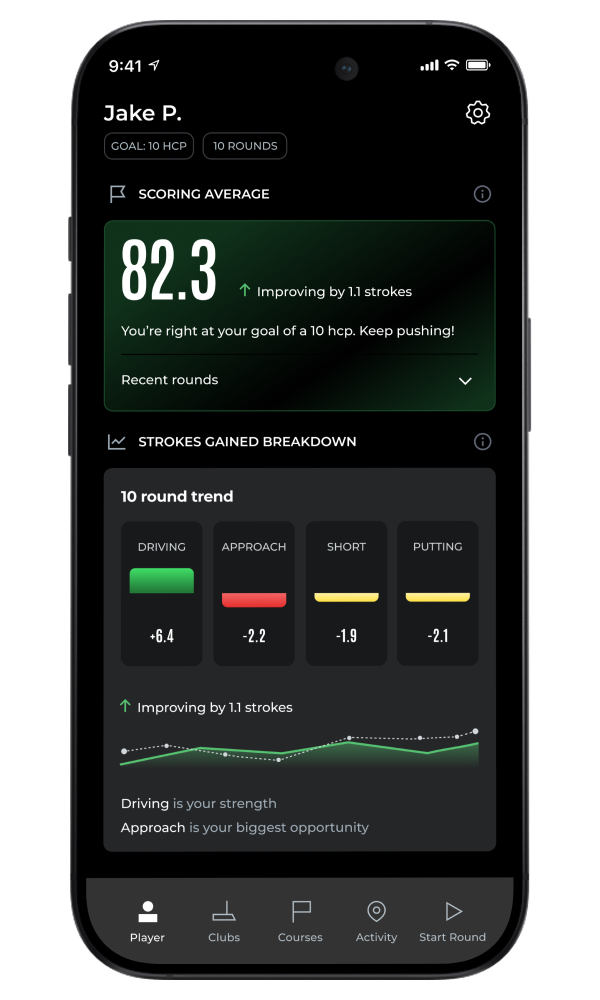
After a Round
- Manually end your round in the app (round will automatically end if you play a full 18 holes).
- Review statistics on the Arccos App.