The main reason for missing shots when using the Apple Watch for shot detection is due to blockage of the Watch's microphone, typically from a long sleeve, coat, or shirt. We recommend keeping your sleeve pulled up above your watch.
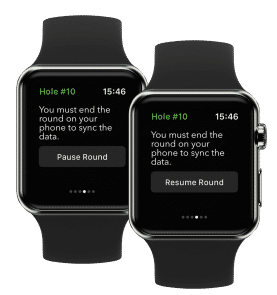
One other possibility for missing shots is due to an audio interruption such as from a phone call, using Siri, or another app running in the background. On certain occasions, the watch app is unable to recover access to the microphone. If you notice missing shots after an audio interruption, swipe to the Settings screen, tap Pause Round, then tap Resume Round and shot detection will start working again.
Last, can you confirm your sensors are paired and functioning properly? To test, please use ‘Club Diagnostics’.
If you are still experiencing issues missing shots, please contact Starter@arccosgolf.com and share what troubleshooting has been attempted.