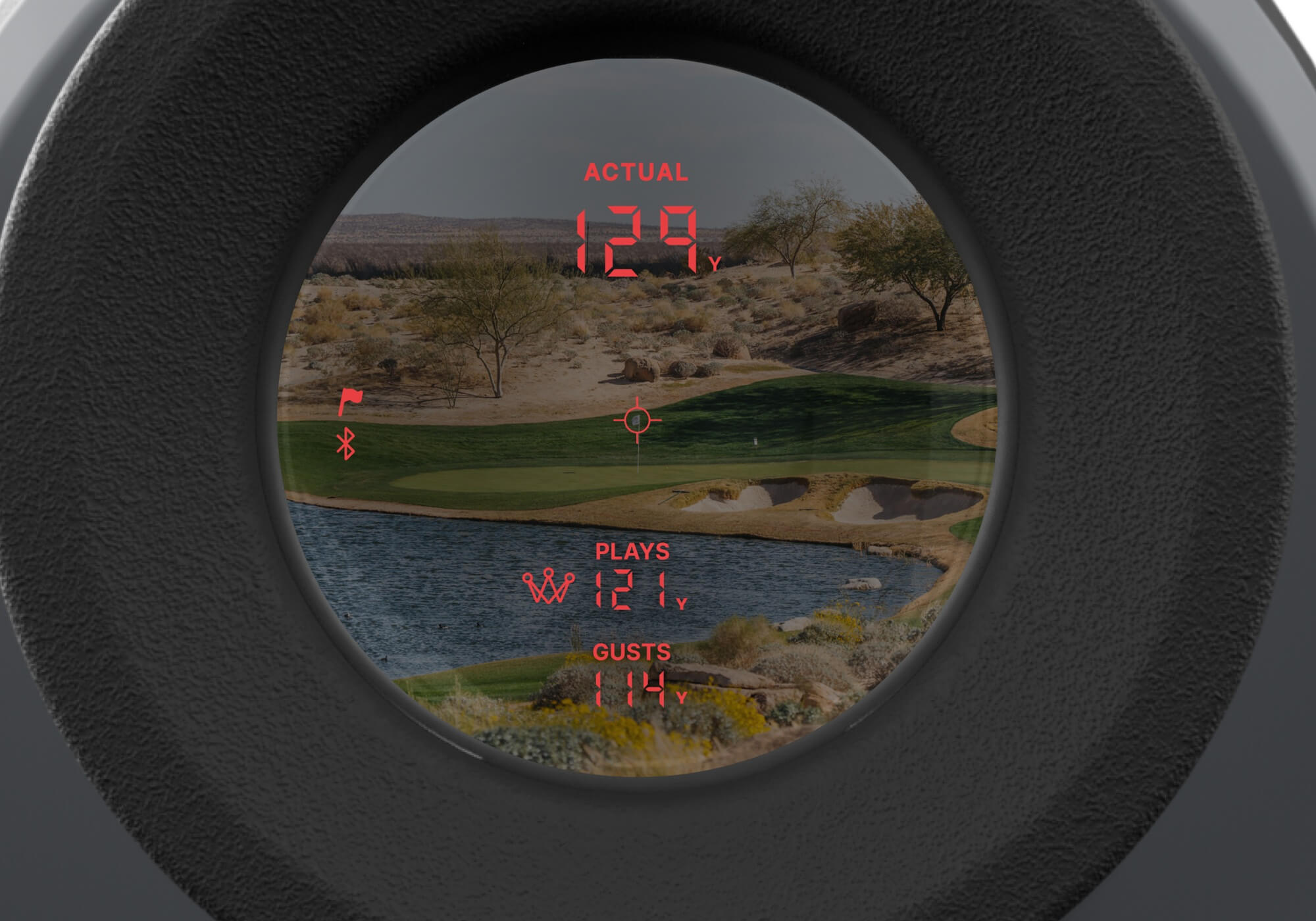
Pin Lock Mode ensures that your Smart Laser accurately locks onto the flagstick and automatically sets the pin location in the Arccos app. When enabled, the device will also provide a vibration to confirm that you’ve locked onto the pin—giving you confidence in every reading.
What is Pin Lock Mode?
Pin Lock Mode is designed specifically for targeting the flagstick or other small objects. When the laser successfully locks onto the pin:
The device will vibrate briefly to confirm lock
The pin location is set in the Arccos app automatically
You’ll receive the most accurate distance to the flag
This is the recommended mode for approach shots and any time you're aiming directly at the flag.
How to Enable Pin Lock Mode
To make sure Pin Lock Mode is turned on:
Power on your Smart Laser
Press the Settings / Mode button once
Confirm that Pin Lock Mode is active (flag icon will appear in the display)
Once enabled, your device will remain in Pin Lock Mode until changed.
When Should I Use Pin Lock Mode?
Use Pin Lock Mode when:
You are measuring distance to the flagstick
You want to automatically set the pin location in the app
You need precise, confirmed yardages for scoring shots
Troubleshooting Tips
If you're not getting a vibration or accurate pin readings:
Make sure Pin Lock Mode is enabled
Hold the device steady while targeting the flag
Ensure there are no large objects (trees, bunkers) interfering with the laser
How Do I Know Pin Lock Mode is On?
You’ll know Pin Lock Mode is enabled and working correctly when:
A flag icon appears on the left side of the display
The device vibrates when it locks onto the pin
These indicators confirm that you are locked onto the flag and that the pin location is being properly captured in the app.